Player Plate
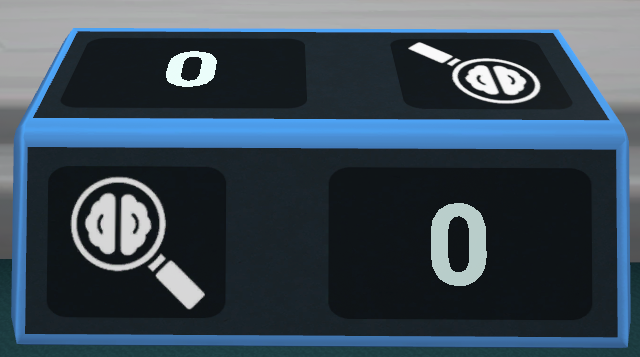
PlayerPlate is a replicated GameElement Actor placed near the board for each player/team. It displays player match state such as score, character, team assignment, and team color.
This guide explains how to create and configure Slots using the All On Board! Mod Kit. The following is a list of things you can do with Slots in All On Board!:
Create a Player Plate
Step 1 - Create the Blueprint
There are two ways to do this:
Using All On Board! Mod Kit Toolbar
Select our toolbar and hover over All On Board!, then select Player Plate.
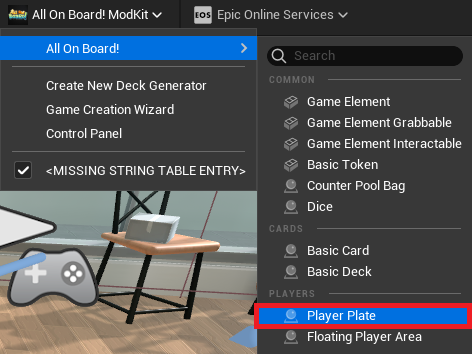
Next, select the folder where you want to save the Player Plate Blueprint and give it a name if you prefer a different name than the default name.
Using the Pick Parent Class Dialog
Right-click on an empty space in the folder where you want to create your Player Plate. The Add New menu will open. Then, hover over All On Board! and select Blueprint Class (All On Board!).
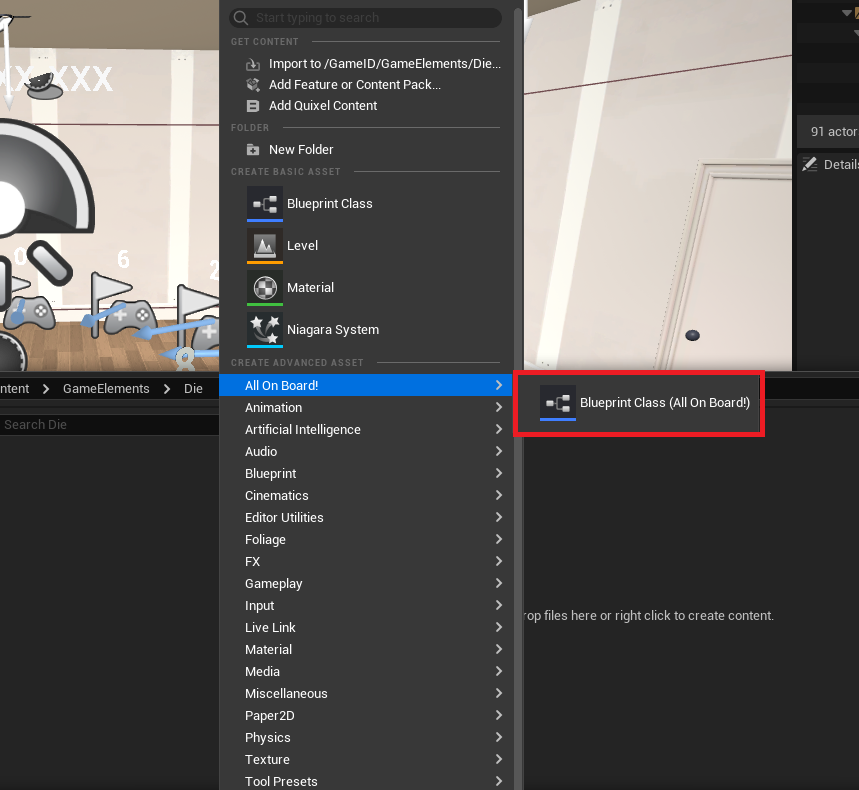
When the Pick Parent Class dialog opens, select Player Plate.
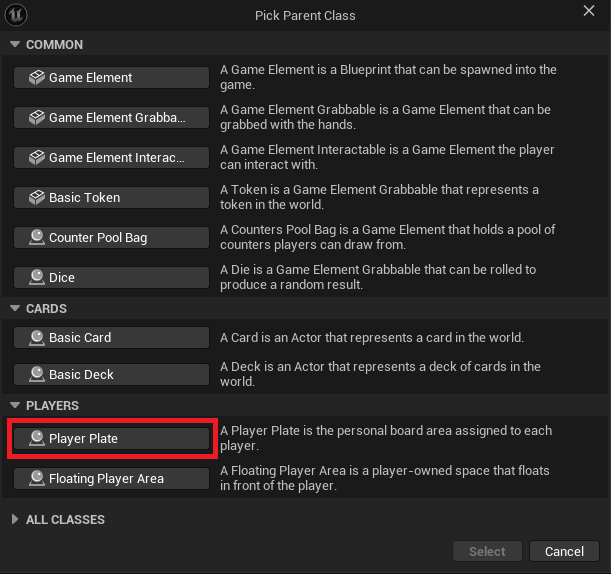
Next, give the Blueprint a name if you prefer a different name than the default name.
Step 2 - Register the Blueprint in the Data Table
Once you have completed the previous step, regardless of which method you used, a window will automatically open to register your new player plate in the Game Element Index Data Table. This table contains a list of all the objects that will be used in your game.
The correct Data Table is selected automatically, but make sure to check it just in case. For example, if your Game ID is "Example", the Data Table will be named DT_Example_GameElementIndexGeneral.
Then, enter the name you want your Player Plate to have in the table and click Register.
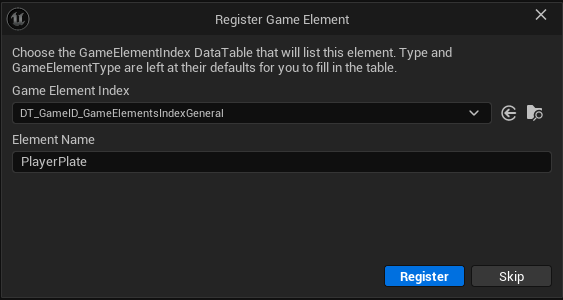
Finally, your player plate will be created.
Step 3 - Configure your Player Plate
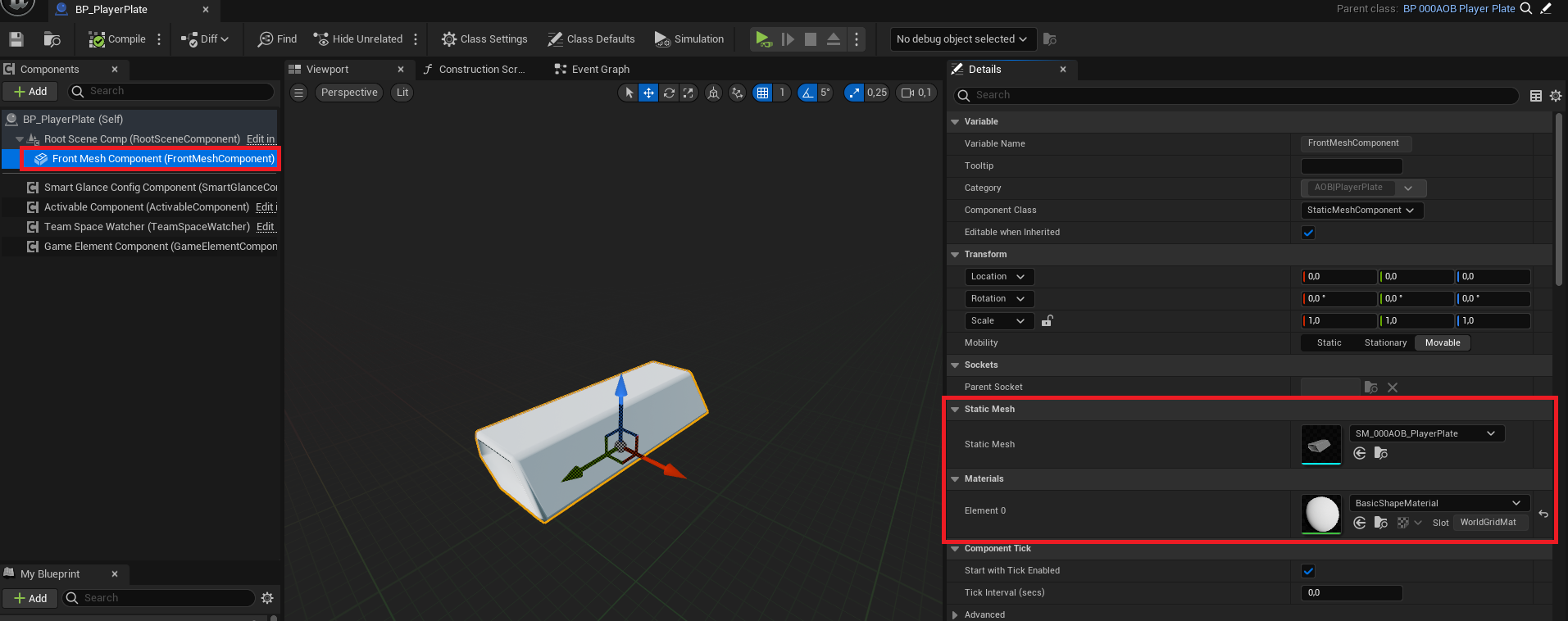
Open the Player Plate Blueprint and select the Front Mesh Component. In the Details panel on the right, you can change the mesh and material.
If you want to use a Player Plate like the ones used in Card Games or Backgammon in AOB, you can select SM_000AOB_PlayerPlate_S as the Static Mesh and MI_000AOB_PlayerPlate_SinglePlayer as the Material.
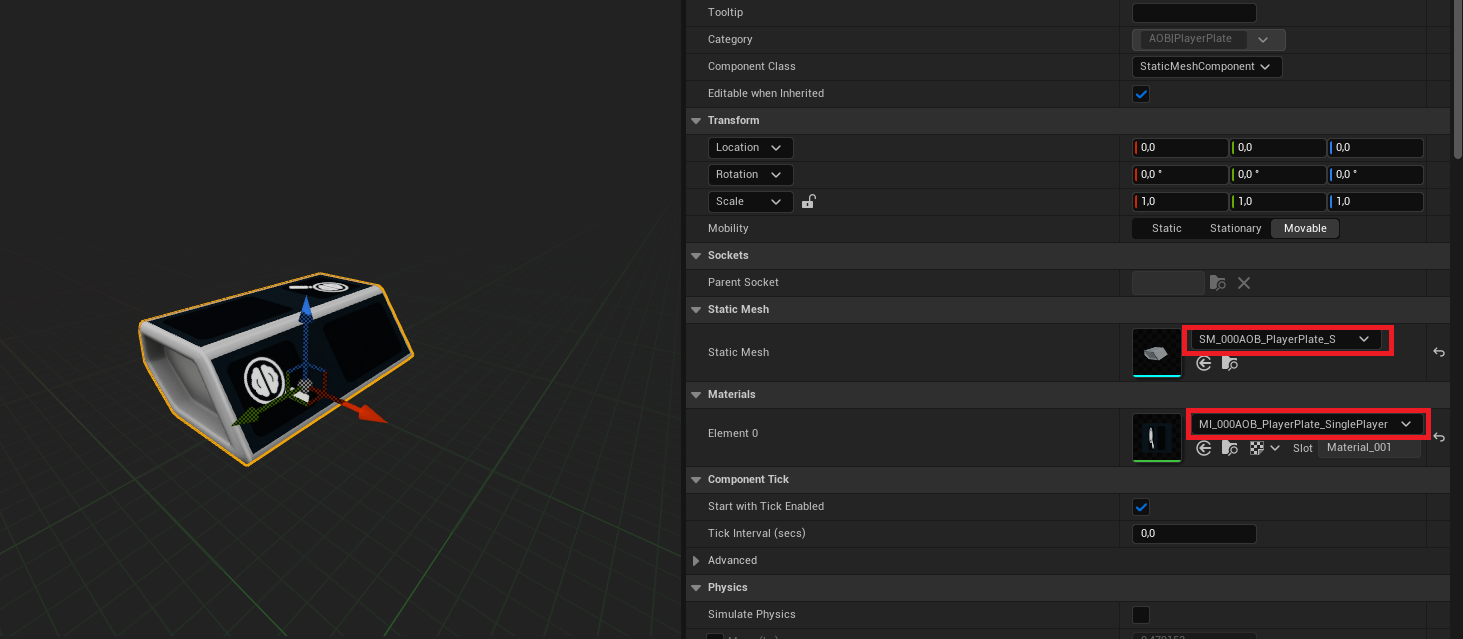
Finally, you will have a small player plate.
If you want to place a player plate on the table, go to this page: Deploy Game Elements for Each Player
Display Scores on the Player Plate
If you want to show a score in your player plate and you have created your player plate since the Game Creation Wizard selectyic player plate, you alreadyyou need to have player plate
if you
Add text in the player plate
Add team space read and write
SmartGlance por otro lado