Game Creation Wizard
This tool will help you start creating games for All On Board! by automating the initial setup a game requires.
You can start your game from a template or from scratch. Most templates are implementations of classic games available in All On Board!.
- Empty – Choose this option if you want to start from scratch, with just a table and seats around it.
- Cards – Choose this option if you want to start with Adaptive Slots and a grid configured for placing cards.
- Crazy Eights – Choose this option if you want to start with a deck, a discard pile, and a hand of cards.
- Parchisi – Choose this option if you want to start with a mode selection screen and have Parchisi and Ludo preconfigured as game modes.
- Checkers – Choose this option if you want to start with a checkerboard, tokens, and bags.
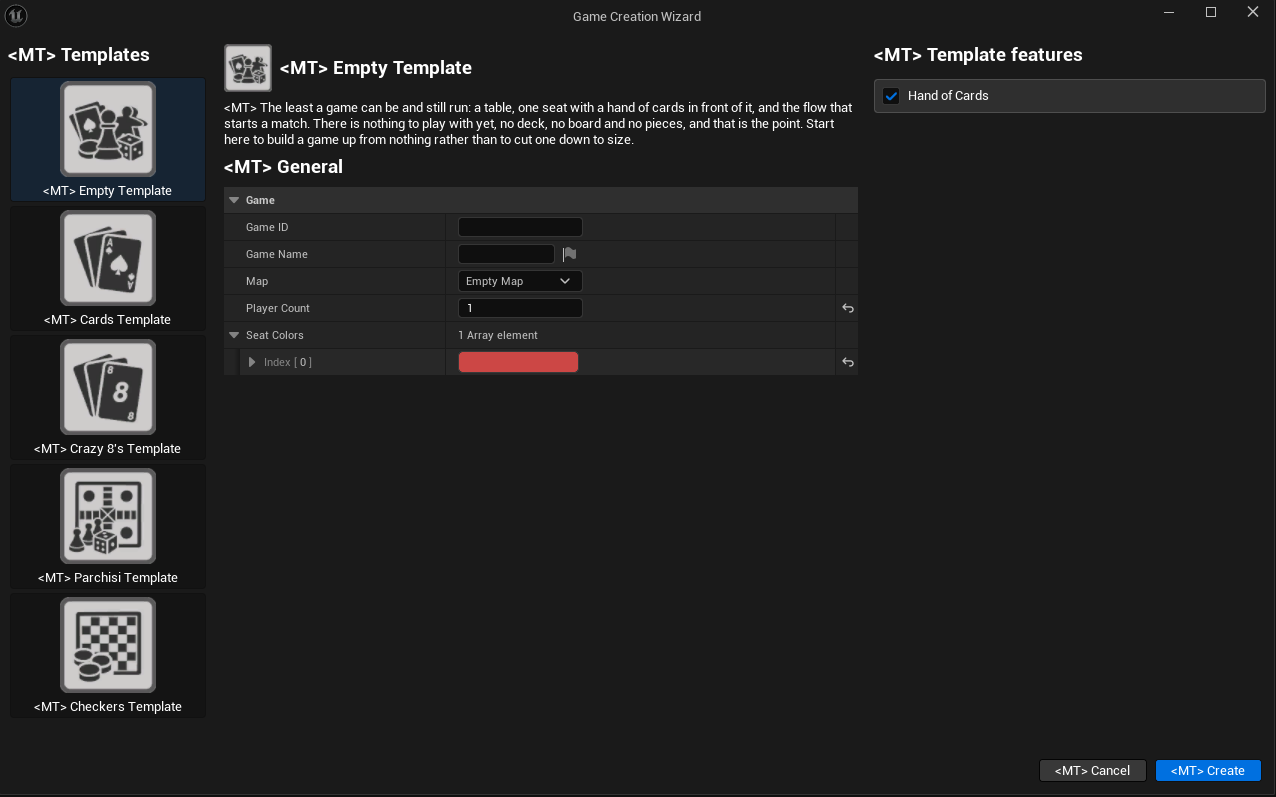
No matter what template you choose, there are some fields you must always configure, which are:
-
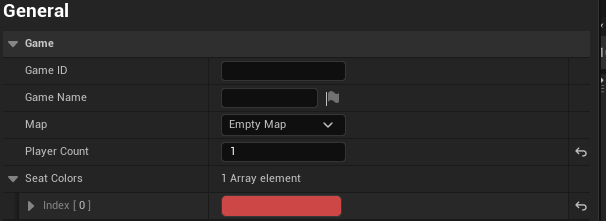
Game ID - Choose an ID to identify the game.
Be mindful when choosing this ID, as it will be used in many different assets.
-
Game Name - Write down the title of the game you are creating.
-
Map - Choose the environment you would like to play your game on:
We recommend against choosing “Empty Map” unless you are going to create your own environment.
-
Player Count - Set how many players the game supports, from 1 to 6.
-
Seat Colors - You can customize the color of the seats each player will have.
By default, different colors are already set up for each seat, so you can skip this step.
Moreover, you can choose to add some features to the game, which can be added or removed later, but adding them now speeds up the process.
Common Features Across Templates
- Hand of Cards - Players will be able to store cards on their non-dominant hand.

Card Template Features
- Grid - A 4×3 Card Grid will be created in the center of your game table.
- Card Face - Cards will be placed face up or face down in the center of your game table.
- Adaptatives Slots - Slots will be created in the center of the table or in the player area for placing cards in a row. A maximum of 3 Adaptive Slots can be placed in the center of the table and 2 in the player area.
- Direction - The card placement direction: from bottom to top or from right to left.
- Card Face - Cards will be placed face up or face down in the center of your game table.
- Player Plate - A Player Plate with a scoring system on its Smart Glance will be created for each player.
Once you have set everything up and pressed “Create”, the created map will open, so make sure to save your changes before using the tool to prevent losing progress.